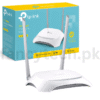
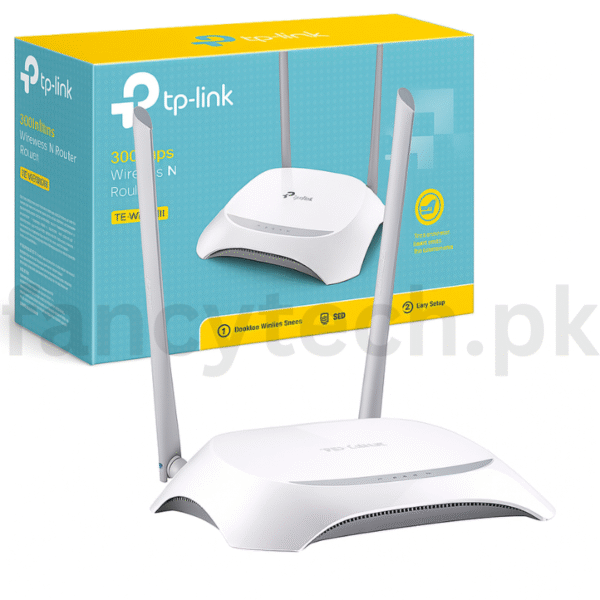
TP-Link TL-WR840N 2.4GHz Wireless Router – Fast & Secure WiFi for Daily Use

  • 300Mbps Wireless Speed on 2.4GHz Band

  • Ideal for Web Browsing, Streaming & Downloads

  • Strong WiFi Coverage for Small Spaces

  • IP-Based Bandwidth Control

  • Secure WPA/WPA2 Encryption

  • Easy Setup with Quick Configuration

  • Sleek & Compact Design

  • Access Control & Parental Management

Original price was: ₨ 7,500.Current price is: ₨ 5,499.

Quantity

Enjoy stable and fast internet with the TP-Link TL-WR840N 2.4GHz Wireless N Router, designed for reliable WiFi performance in homes, apartments, and small offices. With wireless speeds of up to 300Mbps, it’s perfect for web browsing, HD video streaming, online classes, and smooth file downloads.

The router features IP-based bandwidth control, allowing you to prioritize internet usage by device or application. Its built-in firewall, WPA/WPA2 encryption, and access control features ensure your network stays safe and secure.

With easy setup and sleek design, the TL-WR840N delivers fast and secure internet access while blending neatly into your space. Whether you’re working from home, learning online, or streaming videos, this router gives you the performance you can trust.

      Quick Setup Guide:

  1. Power On
    Plug in the router and turn it on.

  2. Connect to Modem
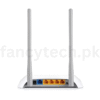
    Use an Ethernet cable to connect your modem to the WAN port (blue port).

  3. Connect Your Device
    Join the default WiFi (SSID/password on router label) or use LAN cable.

  4. Open Setup Page
    In browser, go to http://tplinkwifi.net
    Login with default credentials (admin/admin).

  5. Run Setup Wizard
    Choose connection type, set your WiFi name and password.

  6. Save & Finish
    Apply settings and reboot if required.

Reviews

There are no reviews yet.

Be the first to review “TP-Link TL-WR840N 2.4GHz Wireless Router – Fast & Secure WiFi for Daily Use”

Your email address will not be published. Required fields are marked *

Scroll to Top