
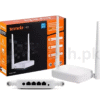
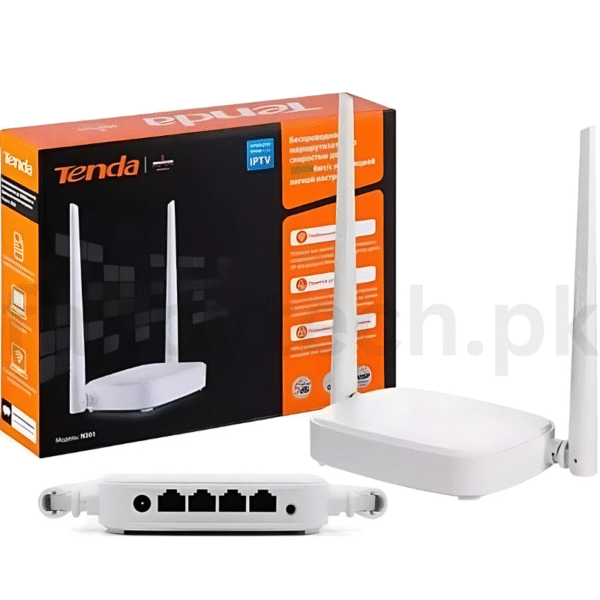
Upgrade your internet experience with the Tenda N301 N300 WiFi Router – a powerful yet budget-friendly wireless solution designed for homes and small offices. With a speed of up to 300Mbps, this router ensures seamless web browsing, video streaming, and online gaming across multiple devices.
Equipped with two powerful 5dBi antennas, the Tenda N301 delivers extended coverage and a strong, stable signal throughout your space. It supports multiple wireless modes, including Router, AP, Repeater, and WISP, giving you flexibility for various networking needs. Its advanced security protocols (WPA/WPA2) and easy setup wizard make it ideal for first-time users and professionals alike.
Whether you’re setting up a home Wi-Fi network or expanding your office connectivity, the Tenda N301 offers reliable performance, simple setup, and cost-effective networking.
✅ Step 1: Connect the Hardware
-
Plug in the power adapter and turn on the router.
-
Connect the WAN port (blue port) of the router to your modem using an Ethernet cable.
-
For wired setup, connect your computer to any LAN port (yellow ports).
✅ Step 2: Access the Router Settings
-
Open a browser on your connected device.
-
Type 192.168.0.1 in the address bar and press Enter.
-
Login with:
-
Username:
admin -
Password:
admin(default)
-
✅ Step 3: Quick Setup Wizard
-
The router will detect your connection type (Dynamic IP, PPPoE, Static IP).
-
Enter the internet details provided by your ISP (if required).
-
Set a WiFi name (SSID) and WiFi password of your choice.
-
Click Next or Save to apply settings.
✅ Step 4: Reboot & Connect
-
After saving settings, the router will reboot.
-
Search for your WiFi name on any device and connect using the password you just set.


Reviews
There are no reviews yet.